Vehicle Plans
Vehicle Plans are the plans that you sell with a vehicle. Some examples:
- VSC (Vehicle Service Contracts)
- GAP (Guaranteed Asset Protection)
- VSI (Vendor's Single Interest)
- Dent/Appearance Protection
- Maintenance Plans
Vehicle Plans is also a great way to add custom fees to your dealership that need to be itemized.
Adding Vehicle Plans
New Vehicle Plans can be added under Manage > Vehicle Plans section. If you want to add a Vehicle Plan to a deal, check out Using Vehicle Plans,


Using Vehicle Plans
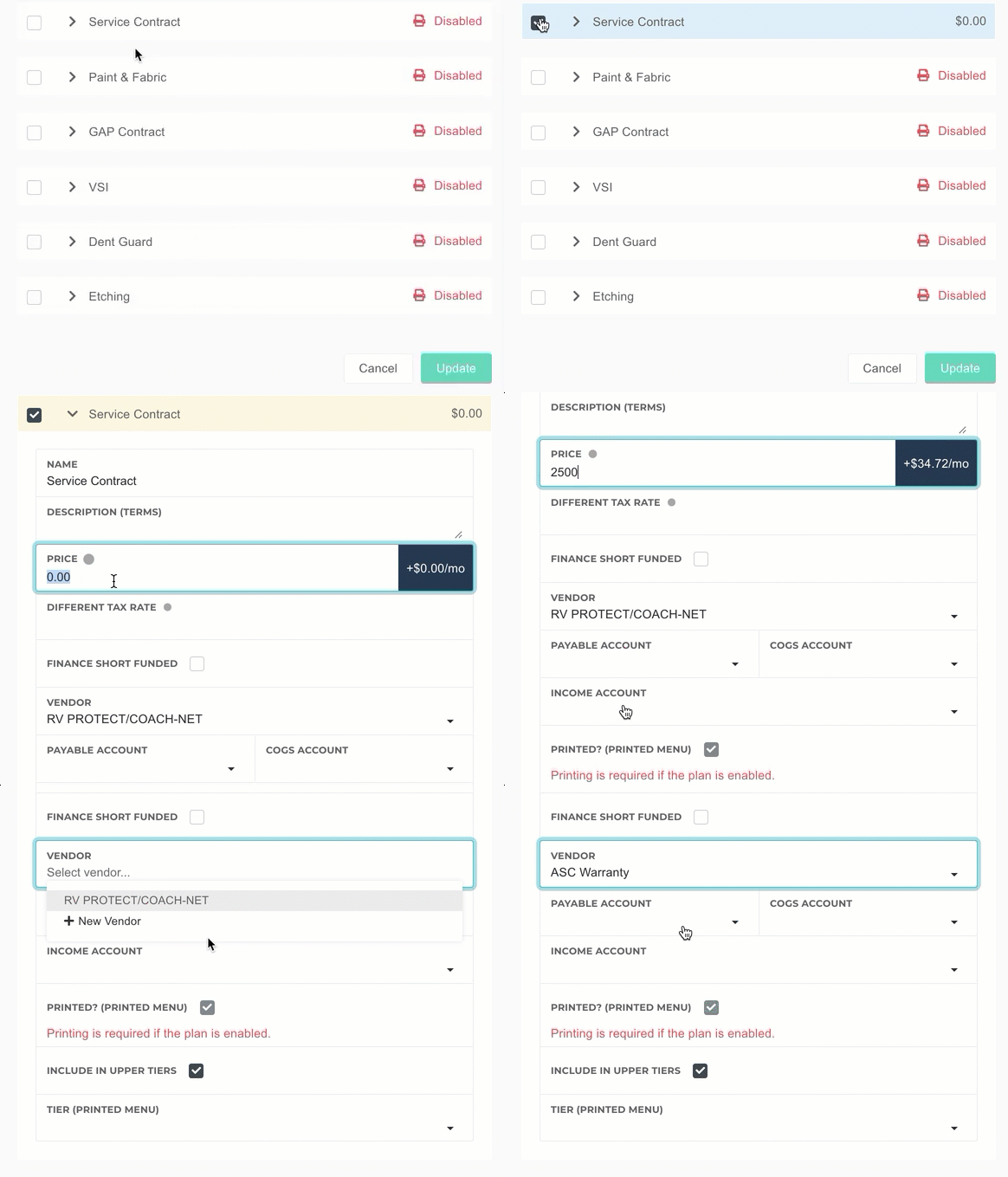
Vehicle Plans automatically show up on your deal, and can be added to the deal by checking the box to the left of the plan name. If you want to edit the price, cost, or vendor, you can click the name to expand it.
Costs
You can edit the cost of a vehicle plan using the secret circle next to the price.


